
Your receipts and invoices, read the moment you snap them
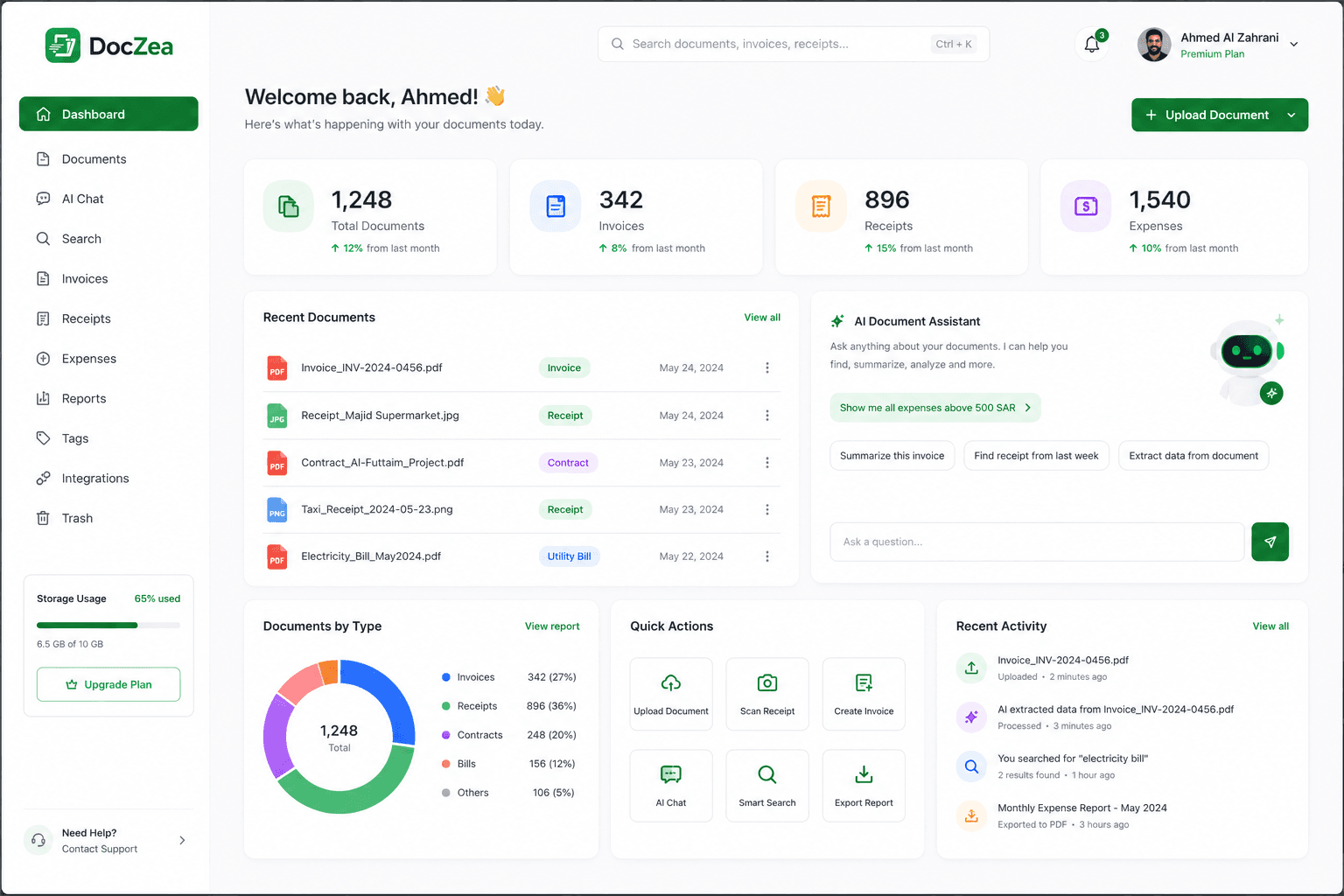
Photograph a receipt or drop in a PDF. DocZea pulls out the merchant, date, tax, totals, and every line item — then files it somewhere you can actually search.
No credit card required.
How it works
Three steps, and the filing is done
No templates to configure, no field mapping, no per-supplier rules. Point at a document and DocZea works out what it is.
Step 1
Capture it
Photograph a receipt with your phone, or drop in PDFs and images from your desktop. Multi-page documents stay together.
Step 2
Let it read
One smart pass returns the merchant, date, document number, tax, totals, and line items — each with its own confidence score.
Step 3
Find it later
Search by merchant, amount, or tax period. Filter by category and tag. Export the result to CSV or Excel when the accountant asks.
Features
Built to be trusted with the numbers
Extraction is only useful if you can tell when it is wrong. That constraint shaped the whole product.
Confidence on every field
Each extracted value carries its own score. Anything the model is unsure of gets flagged for a two-second glance instead of being quietly wrong.
Tax and multi-currency
VAT amounts, tax rates, and supplier tax registration numbers are captured as first-class fields. SAR, AED, KWD, USD, EUR, and more.
Search the contents
Find the supermarket receipt from May over 500 without remembering what the file was called. Filter by category, tag, supplier, or date range.
Scan from any device
The camera flow runs in the browser on your phone, so there is nothing to install. A native app with offline queueing follows.
A summary per document
Every document gets a plain-language summary alongside the structured fields, so you can tell what it is without opening the original.
Export when asked
CSV and Excel out of the box, with the original file always kept beside the extracted data. Nothing is locked in.
Starts with receipt, invoice, utility bill
Those get full field extraction today. Contracts, purchase orders, delivery notes, bank statements, and warranty cards are recognised and filed now, with their own extraction coming next.
On the roadmap
- QuickBooks, Xero, and Zoho exports
- Email import
- Drive, Dropbox, and OneDrive sync
- SSO for enterprise
Pricing
Priced for one shoebox or a whole finance team
Save 15% when you pay yearly. Cancel anytime.
Free
$0/month
Try it on a handful of documents.
- 5 documents per month
- Smart extraction with confidence scores
- Search, categories, and tags
- CSV export
Starter
$7.67/month
$92 billed yearly · save $16
For solo filing and personal expenses.
- 100 documents per month
- Mobile camera scanning
- Excel and CSV export
- Email support
Professional
Most popular$16.17/month
$194 billed yearly · save $34
For freelancers and heavy personal use.
- 500 documents per month
- 300 smart chat messages per month
- Spending and VAT reports
- Duplicate detection
- Priority support
Business
$41.67/month
$500 billed yearly · save $88
For small teams that file together.
- 2,000 documents per month
- 600 smart chat messages per month
- 5 team members included
- Shared workspaces and roles
- Approval workflows
- API and webhooks
- Accounting exports
Enterprise
For organisations with compliance requirements. Unlimited documents · SSO and audit logs · Custom retention policies · API and webhooks · Dedicated support
FAQ
The questions worth asking first
How accurate is the extraction?
It depends on the document — a flat, well-lit receipt reads better than a crumpled thermal slip. Rather than claim a number, DocZea shows you a confidence score for every field and flags anything below threshold for review. Corrections you make are kept, and the document is never re-processed unless you edit it.
Does it handle Arabic and bilingual documents?
Arabic and bilingual receipts are a priority for us — the Gulf market is where this starts. The interface is English at launch, with an Arabic UI planned.
What happens to my documents?
Originals are kept in encrypted object storage, and extracted data sits in Postgres behind row-level security, so no other account can read your records. Documents are processed through the OpenAI and Anthropic APIs, which do not train models on data sent through them. You can delete a document or export everything at any time.
Do I need to install an app?
No. DocZea runs in the browser, and the camera flow works on your phone as-is. A native iOS and Android app with offline queueing and batch scanning follows shortly after launch.
Can I get the data into my accounting software?
CSV and Excel export are there from day one, which covers most workflows. Direct QuickBooks, Xero, and Zoho Books integrations are on the roadmap.
Can I cancel anytime?
Yes. Downgrade or cancel from the billing page whenever you like — no lock-in, and you keep access through the end of the period you already paid for.